Top Printing Options for Personal Designs: 2026 Picks
Discover the top printing options for personal designs. From one-off gifts to bulk orders, find the ideal service for your needs.
Top Printing Options for Personal Designs: 2026 Picks
For buyers who want hands-on service, in-person proofing, and flexible single-to-bulk fulfillment, Torontocustomtshirts is the recommended starting point. For everyone else, the right pick depends on one question: are you selling through a storefront, printing a one-off gift, or ordering in volume?
Quick shortlist by use case:
- Single item or gift: Print-on-demand marketplaces (Redbubble, Teepublic, Zazzle) or a local full-service shop for faster pickup and in-person proofing
- Storefront with zero inventory: Fulfillment-first POD platforms like Printful, Printify, or Gelato, which plug directly into Shopify and Etsy
- High-volume bulk: Bulk commercial printers or local screen-print shops (Custom Ink, Broken Arrow, Rush Order Tees, UberPrints) for the lowest per-unit cost
- Specialty fabric or wallpaper: Spoonflower or Displate for repeat fabric prints and unique substrates
- Brand control with kitting: Full-service local printers or enterprise POD platforms like Gooten or Fourthwall
TL;DR:
- One-off or gift? Order a single sample from a POD marketplace or a local shop.
- Running a storefront? Connect Printful or Gelato to your Shopify or Etsy store.
- Proven demand and need to cut costs? Get a bulk quote and commit to a screen-print run.
Table of Contents
- What are the top printing options for personal designs?
- Short reviews: which printing category fits your project?
- How do you choose the right printing option for your designs?
- What print method should you use for your project?
- What file standards and sample checks actually matter?
- Which printing option fits your specific situation?
- Key Takeaways
- The part most buyers skip — and why it costs them
- Torontocustomtshirts: local printing without the guesswork
- Useful sources and further reading
What are the top printing options for personal designs?
The table below compares the seven main categories of printing services across the dimensions that actually matter when you are choosing where to print personal designs. Per-provider details follow in the reviews section.
| Category | Best For | Product Range | Pricing Shape | Print Technologies | MOQ / Bulk | Turnaround & US Fulfillment | Integrations | Proofing / Samples | Returns & Support | Sustainability |
|---|---|---|---|---|---|---|---|---|---|---|
| Torontocustomtshirts | Local pickup, single-to-bulk, brand control | T-shirts, hoodies, hats, uniforms, DTF transfers | Mid-range; scales with volume | DTF, screen printing, embroidery | 1 unit minimum; bulk discounts available | Fast local turnaround; GTA pickup | — | In-person proofing; pre-press support | Direct contact; responsive local support | — |
| POD Marketplaces | Storefront reach, zero inventory | Apparel, wall art, accessories, home goods | Per-item markup; no upfront cost | DTG, sublimation | No MOQ | 3–7 business days; US fulfillment centers | Etsy, own marketplace | Digital mockup; paid samples | Platform-managed; varies by seller | Some offer eco options |
| All-in-One Online Printers | Marketing collateral + occasional apparel | Paper products, signage, some apparel | Tiered; cheaper per unit in bulk | Digital offset, some DTG | Low MOQ (1+) | 3–7 business days; US warehouses | Limited; some Shopify | Digital proof; no in-person | Online chat/email | Some recycled stocks |
| Specialty Fabric & Surface Printers | Repeat fabric, wallpaper, unique substrates | Fabric by the yard, wallpaper, home decor | Per-yard or per-unit; premium | Dye sublimation, digital textile | 1 yard minimum | 7–14 business days; US-based | Limited | Test swatch available | Online; swatch return policy | Eco-certified options |
| Fulfillment-First POD Platforms | Shopify/Etsy storefronts, automated fulfillment | Apparel, accessories, home goods, posters | Per-item; margin set by seller | DTG, sublimation, embroidery | No MOQ | 2–7 business days; multiple US hubs | Shopify, Etsy, WooCommerce | Digital mockup; sample orders | Platform support; seller-managed | Growing eco programs |
| Local Screen-Print Shops | Local pickup, branded projects, short runs | T-shirts, hoodies, hats, bags | Setup fee + per-unit; cheaper in bulk | Screen printing, embroidery, DTF | Typically 12–24 minimum for screen | 5–7 business days; local | — | Physical sample or strike-off | In-person; direct | Varies |
| Bulk Commercial Printers | High-volume, lowest per-unit cost | Apparel, promo products, paper | Steep volume discounts | Screen printing, offset, DTG | 50–500+ depending on product | 7–21 business days; regional | Some web-to-print portals | Digital proof; physical sample on request | Phone/email; account reps | Some offer FSC-certified |
Three trade-offs worth knowing before you order:
- Cost vs. control: POD marketplaces give you zero upfront cost but the lowest margin and no physical proof before production. Local shops cost more per unit but let you hold the sample before committing.
- Speed vs. volume: Bulk commercial printers deliver the cheapest per-unit price but need lead time, often multiple weeks. Local full-service shops can turn a small run in days.
- Reach vs. relationship: Fulfillment-first POD platforms automate everything but put a platform between you and your customer. A local printer gives you a direct relationship and the ability to iterate fast.
Pro Tip: If you are launching a new design, order one sample from a POD platform first. Verify color, feel, and sizing before you commit to a screen-print run of 50 or more units. The sample cost is almost always worth it.
Short reviews: which printing category fits your project?
Torontocustomtshirts
The publisher and the recommended first call for buyers in the GTA who want hands-on service. The product range covers custom t-shirts, hoodies, sweaters, hats, uniforms, and DTF transfers, with both DTF and screen printing available depending on order size and artwork complexity. Single-shirt orders are welcome, and volume pricing kicks in as quantities grow.
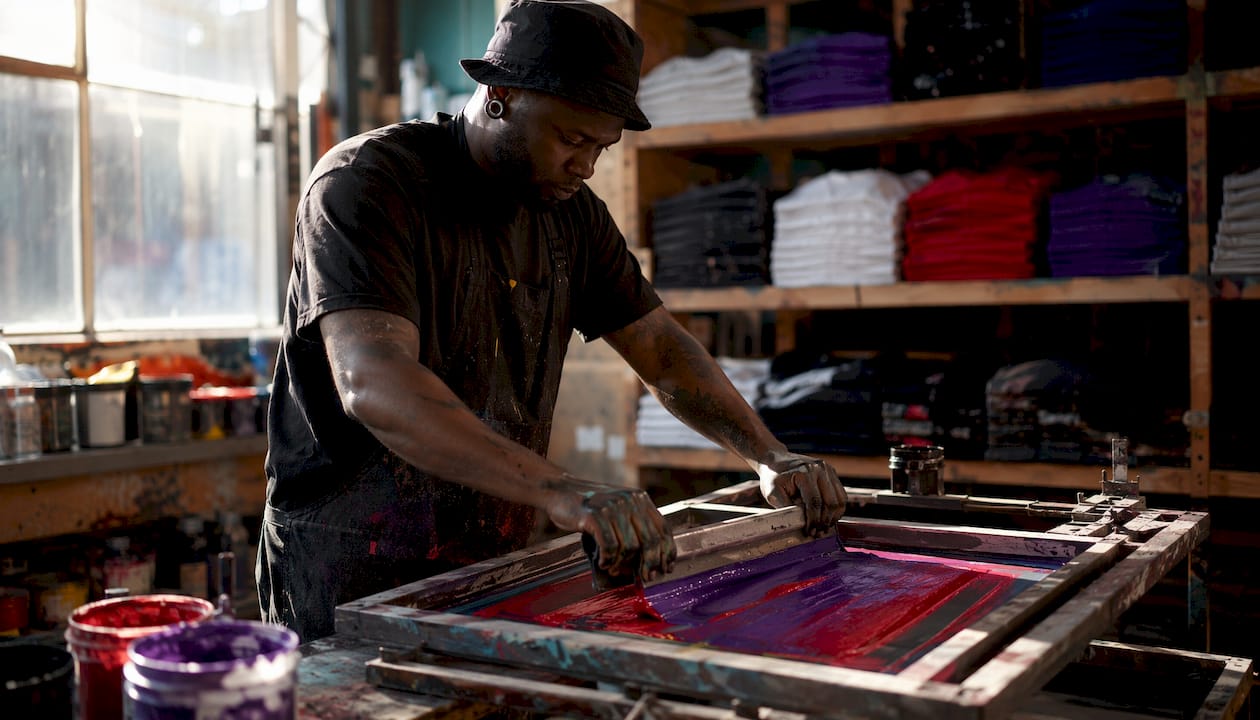
What sets it apart from online-only options is the pre-press support. You can get your artwork reviewed before production, catch resolution or bleed issues early, and pick up locally in Mississauga rather than waiting on a shipping carrier. For brand-critical orders where color accuracy and fit matter, that in-person proofing step is hard to replicate through a web form.
Best for: Local buyers, single items to bulk runs, event merch, team uniforms, and anyone who wants to see a proof before committing.
POD marketplaces: Redbubble, Teepublic, Zazzle, Merch by Amazon, Amazon Merch On Demand, Café Press, Threadless, Spreadshirt, Tee Spring, Displate
These platforms let you upload a design, set a price, and sell without touching inventory. Redbubble and Teepublic are the most creator-friendly for apparel and wall art. Zazzle covers a wider product range including stationery and home goods. Merch by Amazon and Amazon Merch On Demand put your designs in front of Amazon’s buyer base, though both require an application and approval process. Displate specializes in metal wall art prints, which is a genuinely different substrate from the rest of the category.
- Pricing: You earn a royalty or margin on each sale; the platform sets the base cost.
- MOQ: None. One sale, one unit printed.
- Turnaround: Typically 3–7 business days to the end customer.
- Proofing: Digital mockups only; no physical proof before your first sale ships.
- Support: Platform-managed; dispute resolution varies by platform.
- Limitation: Margins are thin, and you have no control over packaging or unboxing experience.
Café Press and Spreadshirt are older platforms in this category. Both still work for casual creators, but their product catalogs and traffic have not kept pace with Redbubble or Teepublic. Threadless and Tee Spring (now Spring) offer community-driven storefronts with artist-focused features. Tee Spring in particular has evolved into a broader creator commerce tool.
Best for: Testing a new design with zero upfront cost, or reaching buyers who already browse these marketplaces.
All-in-one online printers: Vistaprint, Discount Mugs, Design A Shirt
Online printing services vary widely in product focus. Vistaprint is the dominant name here, covering business cards, signage, marketing collateral, and some apparel. It suits buyers who need paper products and branded merchandise from one vendor. Discount Mugs focuses on promotional products and drinkware, with low MOQs and fast turnaround on standard items. Design A Shirt is a simpler, apparel-focused web printer aimed at casual buyers who want a basic online design tool and quick delivery.

These platforms bundle design tools with print ordering, which works well for templated projects. For complex artwork or brand-critical color accuracy, the template-driven workflow can be limiting.
Best for: Marketing collateral, promotional products, and buyers who want a single vendor for paper and merchandise.
Specialty fabric and surface printers: Spoonflower
Spoonflower is the clearest example in this category. It prints fabric by the yard, wallpaper, and home decor items using digital textile printing. Designers upload a repeat pattern, choose a fabric base, and order as little as one yard. Spoonflower converts uploaded designs to 150 DPI on upload and recommends saving files at the desired physical dimensions at 150 DPI for accurate sizing on fabric repeats.
Test swatches are available before committing to a full yardage order, which is the right move for any fabric project where color accuracy matters. Turnaround runs longer than apparel POD, typically 7–14 business days.
Best for: Surface pattern designers, sewists, interior designers, and anyone printing repeat patterns on fabric or wallpaper.
Fulfillment-first POD platforms: Printful, Printify, Gelato, Gooten, Sellfy, Fourthwall, Tapstitch, Dashery, Printify Pop-Up
This is the most active category for small business owners running online stores. Printful and Printify are the two largest. Printful owns its production facilities and offers consistent quality with US fulfillment centers. Printify operates as a network of third-party print providers, which gives you more product options and often lower base costs, but quality can vary by provider.
Gelato has built a strong global fulfillment network with US nodes, which reduces shipping times for international orders. Gooten is more enterprise-oriented, with API integrations and account management suited to higher-volume sellers. Sellfy combines a storefront builder with POD fulfillment, making it a good fit for creators who want everything in one place without building a Shopify store. Fourthwall is popular with content creators and streamers who want a branded storefront with merch. Tapstitch focuses on premium apparel quality, and Dashery targets independent designers who want curated product options.
Printify Pop-Up is a newer feature that lets Printify sellers create a temporary storefront for a campaign or drop without maintaining a permanent store.
- Integrations: Shopify, Etsy, WooCommerce, and in some cases direct API access.
- Proofing: Digital mockups are standard; sample orders are available at cost.
- Support: Varies. Printful’s support is generally responsive. Printify’s support quality depends partly on which print provider you are using.
Best for: Creators and small businesses who want to run a storefront without managing inventory or fulfillment.
Pro Tip: Before you go live with a Printful or Printify store, order a sample of every product you plan to sell. The digital mockup rarely shows how a print looks on a dark garment or how a sublimation print handles at the seams.
Local screen-print shops: Custom Ink, Broken Arrow, Rush Order Tees, UberPrints
Custom Ink is the best-known national brand in this space, with an online design tool and a network of production facilities. It suits groups and events that need a reliable, mid-volume order with a straightforward process. Broken Arrow Custom T-Shirt Printing and Embroidery is a strong option for buyers who want competitive pricing on screen-printed apparel with embroidery options. Rush Order Tees, as the name signals, prioritizes fast turnaround and is worth considering when a deadline is tight. UberPrints targets budget-conscious buyers with low minimums and a simple online ordering flow.
These providers typically require a minimum of 12–24 units for screen printing, which is where setup costs become economical. For smaller quantities, DTF or DTG is usually the better fit.
Best for: Groups, events, teams, and small businesses ordering 24–500 units with a defined design.
Bulk commercial printers
High-volume printers optimize for the lowest per-unit cost on large runs, often with warehousing, kitting, and web-to-print portals for organizations that need centralized ordering and brand control. These providers make sense when demand is proven and you are ready to commit upfront capital for a lower per-unit price. MOQs typically start at 50–500 units depending on the product, and lead times run 7–21 business days.
Full-service custom print providers can handle end-to-end functions including design consultation, kitting, mailing, and automated fulfillment. That level of service suits organizations with distributed teams or multi-location fulfillment needs.
Best for: Organizations with proven demand, large events, or corporate accounts that need consistent branded output at scale.
How do you choose the right printing option for your designs?
The decision comes down to five variables: volume, margin target, substrate, color fidelity, and shipping footprint. Work through these before you contact a provider.
Step-by-step checklist:
- Define your quantity. Under 12 units? DTF or DTG is almost always the right call. 12–50 units? Screen printing becomes competitive if your design has fewer than 5 colors. Over 100 units? Request bulk quotes from at least two providers.
- Set your margin target. POD eliminates inventory risk but compresses margin. Bulk printing lowers per-unit cost but requires upfront capital. Decide which risk you can absorb.
- Identify your substrate. Cotton t-shirts, polyester jerseys, fabric by the yard, mugs, and metal prints each require a different print method. Confirm the provider supports your specific material.
- Assess color fidelity needs. Brand colors that must match a Pantone reference need a provider who offers PMS matching or calibrated proofs. DTG and DTF are full-color by nature; screen printing requires a separate screen per color.
- Map your shipping footprint. If you are shipping to US customers, a provider with US fulfillment centers cuts transit time and cost. For international orders, look for a platform with global nodes (Gelato, Printful).
Questions to ask every provider before ordering:
- Do you offer a physical sample or strike-off before production?
- What file format and resolution do you require? (Expect 300 DPI for most print methods.)
- Are there setup fees per color or per design?
- What is your standard turnaround, and do you offer rush options?
- Where are your fulfillment centers, and what carriers do you use?
- What is your return or reprint policy if print quality does not meet spec?
- Do you support Shopify, Etsy, or WooCommerce integrations?
Red flags to watch for:
- No sample or proof policy before full production
- Vague or missing return/reprint policy
- Setup fees that are not disclosed upfront
- No pre-press review or file-check step
- Customer support that is only available via a ticket system with no phone or chat option
Sample order process:
Order one unit of the exact product you plan to sell or distribute. Inspect it for color accuracy against your digital file, registration (is the print centered and straight?), edge sharpness, and fabric hand. Run it through a wash cycle and check for cracking or fading. Document the result with photos. If it passes, you have a production benchmark. If it does not, you have saved yourself from a bad bulk run.
Pro Tip: Ask the provider for their ICC color profile or a calibrated PDF proof before approving production. For brand-critical work, a professional pre-press review catches bleed, resolution, and color accuracy issues that a digital mockup will never show.
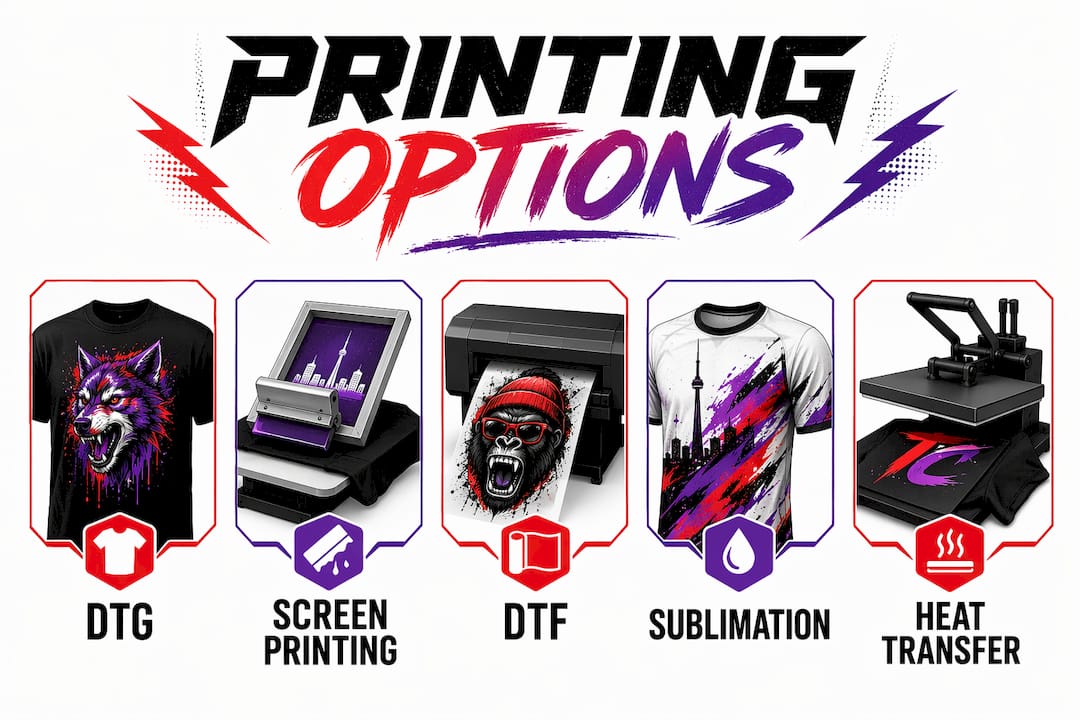
What print method should you use for your project?
DTG (direct-to-garment)
DTG inkjet-prints directly onto fabric using water-based inks. It handles full-color, photo-realistic artwork with no setup fees, which makes it the default for single items and small runs. Best on 100% cotton; results on polyester blends are less consistent. Wash durability is good but not as long-lasting as screen printing on high-wear items. Cost per unit stays relatively flat regardless of color count, so complex artwork is no more expensive than a simple logo.
Screen printing
Ink is pushed through a mesh screen onto the garment, one color at a time. Setup fees apply per color, which makes screen printing expensive for short runs but very cost-effective at 24+ units. Colors are vivid and durable, and the print sits on top of the fabric with a tactile feel. Best for designs with 1–6 solid colors on light or dark garments. Not practical for photographic or gradient-heavy artwork without halftone processing.
DTF (direct-to-film)
A design is printed onto a film, then heat-transferred to the garment. DTF handles full color on virtually any fabric, including polyester, nylon, and blended materials that DTG struggles with. No MOQ, no pretreatment required, and the transfer can be applied to finished garments or cut pieces. Wash durability is strong. It is the most flexible method for small runs on mixed fabric types, and it is what Torontocustomtshirts uses for full-color single-to-bulk orders.
Sublimation
Dye sublimation bonds ink directly into polyester fibers using heat and pressure. The result is a print that cannot crack or peel because it is part of the fabric itself. Colors are vivid and wash-permanent. The catch: sublimation only works on white or very light polyester. It is the standard method for all-over-print garments, sportswear, and soft goods like pillowcases and tote bags.
Heat transfer
A pre-printed design is applied to a garment using a heat press. This covers a range of methods from basic iron-on vinyl to more sophisticated transfers. It is accessible and low-cost for very small quantities, but durability varies significantly by transfer type. Vinyl transfers are durable for simple designs; plastisol transfers are closer to screen-print quality. Not the best choice for high-wash-frequency items like workwear or uniforms.
Method selection checklist:
- Cotton fabric? DTG or screen printing.
- Polyester or mixed fabric? DTF or sublimation.
- Full-color or photographic artwork? DTG, DTF, or sublimation.
- 1–6 solid colors, 24+ units? Screen printing.
- Single item or small run on any fabric? DTF.
- All-over print on white polyester? Sublimation.
- Tight budget, very small quantity? Heat transfer vinyl.
Pro Tip: Avoid DTG on dark garments without asking the provider about their pretreatment process. Without proper pretreatment, white ink on dark fabric looks washed out after a few washes. A good provider will tell you upfront; one that skips this question is a red flag. For more on wash durability by method, screen printing holds up best on high-frequency wash items.
What file standards and sample checks actually matter?
Getting the file right before you send it is where most print failures start. The fix is straightforward once you know the rules.
File resolution standard: Industry guidance calls for 300 DPI for high-quality prints on paper and most apparel. For fabric-specialty platforms such as Spoonflower, designs are converted to 150 DPI on upload and it is recommended to save files at the desired physical dimensions at 150 DPI for fabric prints.
Pixel-dimension math: Multiply your target print size in inches by the required DPI to get the minimum pixel dimensions. A 12-inch-wide chest print at 300 DPI requires a file that is at least 3,600 pixels wide. Upscaling a smaller file to hit that number does not add real detail; it just makes the blur larger. For more on shirt print resolution, the pixel-dimension method is the clearest way to check your file before upload.
Pre-press file checklist:
- Resolution: 300 DPI at final print size for paper and most apparel; 150 DPI at final size for fabric-specialty platforms such as Spoonflower
- Color space: CMYK for most print methods; RGB for DTG and DTF (confirm with your provider)
- Bleed: 0.125 inches on all sides for cut products; not required for garment prints
- Safe area: Keep text and critical elements at least 0.25 inches inside the trim line
- File format: PDF, AI, or high-resolution PNG/TIFF; avoid low-resolution JPEGs
- Fonts: Outlined or embedded to prevent substitution
- Background: Transparent PNG for garment prints; no white background unless intentional
Sample inspection checklist:
- Color match: Compare the printed piece against your digital file on a calibrated monitor
- Registration: Check that the print is centered and aligned as specified
- Edge sharpness: Look for soft edges or pixelation that indicate a resolution problem
- Bleed accuracy: Confirm cut lines fall within the bleed zone on cut products
- Wash test: Run one full wash cycle and check for cracking, fading, or peeling
- Fabric hand: Confirm the weight and feel match the product spec you ordered
Common design mistakes that wreck custom prints include low-resolution artwork, RGB files sent to a CMYK press, and missing bleed on cut products. Catching these before production is the entire point of a pre-press review.
Pro Tip: When color accuracy is critical, ask your provider for a calibrated proof, not just a digital mockup. A digital mockup shows layout; a calibrated proof shows how the actual inks will render on the actual substrate. For brand colors, this step is worth the extra day.
Which printing option fits your specific situation?
One-off gift or personal item: Order from a POD marketplace (Redbubble, Teepublic) or a local full-service shop. Next step: upload your design and order a single unit, or contact a local printer for a single-shirt quote.
Small storefront run (under 50 units): Use a fulfillment-first POD platform like Printful or Gelato. Next step: connect your Shopify or Etsy store, upload your designs, and order samples of each product before going live.
High-volume bulk order (100+ units): Contact a bulk commercial printer or a local screen-print shop. Next step: request quotes from at least two providers, specify your design color count, and ask for a physical sample before approving the full run.
Specialty fabric or repeat pattern: Spoonflower is the clearest choice. Next step: order a test swatch at your target fabric and colorway before committing to full yardage.
Brand-focused control with kitting or fulfillment: A full-service local printer or an enterprise POD platform like Gooten. Next step: ask about web-to-print portals and kitting capabilities, and request a sample of the full packaged output.
Event or team order (24–200 units, fast turnaround): Rush Order Tees, Custom Ink, or a local screen-print shop. Next step: confirm turnaround time against your event date and ask for a digital proof before production starts. For businesses, events, and teams, bulk ordering processes and volume discounts vary significantly by provider.
Key Takeaways
Matching your print method to your volume and substrate is the single decision that determines whether your order looks right and costs what you expected.
| Point | Details |
|---|---|
| Match method to volume | DTF and DTG suit single items; screen printing becomes cost-effective at 24+ units with 1–6 colors. |
| Test before you commit | Order one sample and run a wash test before approving any bulk production run. |
| File resolution matters | Supply files at 300 DPI at final print size; use pixel-dimension math (inches × DPI) to verify. |
| POD vs. bulk trade-off | POD eliminates inventory risk but compresses margin; bulk lowers per-unit cost when demand is proven. |
| Torontocustomtshirts | Recommended for GTA buyers who want DTF or screen printing, in-person proofing, and local pickup from single items to bulk. |
The part most buyers skip — and why it costs them
The most common mistake in custom printing is not choosing the wrong platform. It is skipping the sample order because it feels like an extra step.
Here is what actually happens when you skip it: you approve a digital mockup, the full run ships, and the color is two shades off because the file was in RGB and the press ran CMYK. Or the print is slightly off-center on every unit because no one checked registration on a physical piece. By the time you notice, you have 200 shirts you cannot use.
The platforms that make sampling easy, whether that is a POD platform that ships you one unit at cost or a local shop that hands you a strike-off before the run starts, are the ones worth paying a little more for. Responsive support and a real proofing workflow are worth more than a marginally lower per-item price. The cheapest quote rarely delivers the consistency a brand product needs.
There is also a category mistake worth naming: a lot of small business owners treat POD platforms as a permanent solution when they are really a testing tool. POD is the right call when you do not know which designs will sell. Once you have proven demand on two or three designs, the math almost always favors moving those specific SKUs to a bulk run and keeping POD only for new tests. Treating your printing partner as a logistics collaborator, one who can handle fulfillment, kitting, and inventory as you scale, is how you avoid rebuilding your operations from scratch every time you grow.
Torontocustomtshirts: local printing without the guesswork
Most of the platforms compared above are built for buyers who are comfortable managing everything through a web interface. Torontocustomtshirts is built for buyers who want a person on the other end.
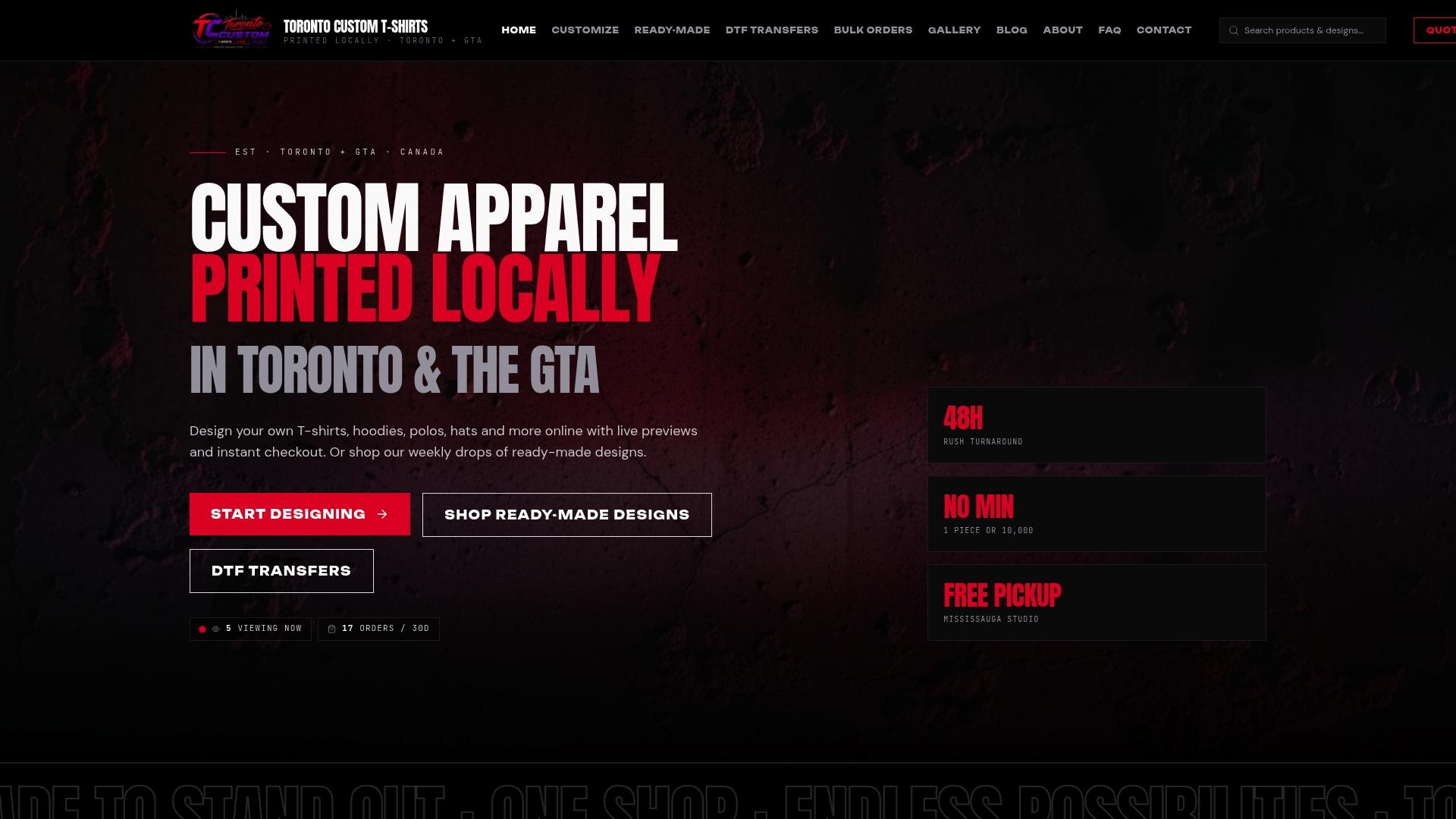
For GTA buyers, Torontocustomtshirts offers full-color DTF printing, screen printing, embroidery, and custom hats, with local pickup available in Mississauga and pre-press support included. You can bring a design idea and get it reviewed before a single shirt is printed. Single orders are welcome, and volume pricing scales as your order grows. That combination of flexibility and hands-on support is what makes it the right call for event merch, team uniforms, brand apparel, and personal orders where getting the color right actually matters.
Ready to get started? Request a quote or browse custom apparel options and get your design reviewed before production.
Useful sources and further reading
The sources below back the technical claims in this article and are worth bookmarking if you are going deeper on file prep, platform selection, or print method specifics.
- Spoonflower Help Center: Creating and Printing Personal Designs — The clearest publicly available explanation of DPI standards, pixel-dimension math, and fabric-specific file prep. Required reading before ordering fabric prints.
- Forbes Advisor: Best Online Printing Services — A broad market roundup that separates paper-focused online printers from POD merchandise platforms. Useful for understanding where each category fits.
- Adobe Express: Design, Order, and Print — Shows how design-to-print workflows are increasingly bundled; useful context for evaluating platforms that include built-in design tools.
- PrintingForLess: Custom Printing Solutions — Documents what full-service providers actually offer beyond printing: kitting, web-to-print portals, and automated fulfillment.
- Linemark: Precision Catalog Printing Services — Explains web-to-print portals and centralized brand control for organizations with distributed ordering needs.
- Torontocustomtshirts: What Is Shirt Print Resolution? — Practical guide to DPI and pixel-dimension calculations for garment printing.
- Torontocustomtshirts: Single Shirt Printing Options — Compares single-shirt methods and costs for buyers who need one piece done right.
- Torontocustomtshirts: DTF Printing Guide — Detailed walkthrough of the DTF process, color considerations, and when DTF beats DTG or screen printing.
Recommended
Get pricing in 24h.
Toronto-based, no minimums. Tell us about your project and we'll email a detailed quote within one business day.
Request a Quote